

In this article we look at domestic hot water (DHW) circulation in a family house: the ways to implement it, what the typical losses are, and how to control circulation so those losses stay as low as possible. We finish with a ready-made YAML automation for Home Assistant that you can use as inspiration.
Old tablet in a drawer can make a great dashboard for Home Assistant or another smart home setup. The problem is that after years of use it gets slow, comes loaded with manufacturer bloatware, and animations slow it down even further. In this article, I'll show you how to use ADB to remove unnecessary preinstalled apps, turn off graphical effects in Developer options, and what else can help breathe new life into an old piece of hardware.
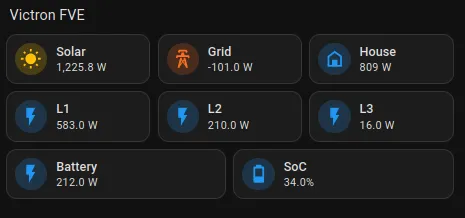
We will add the Victron integration to Home Assistant using Victron MQTT. This will give us real-time values from the Cerbo/Venus system in Home Assistant and at the same time allow us to control the PV system via Home Assistant. If you have a Victron EV charger, it is automatically part of the Victron system.
In this part, we will provide an initial configuration of our prepared docker installation of OpenHAB or Home Assistant. We will provide you how to import basic items (entity) as outputs ligths, sockets and shutters. We will import the inputs as buttons, pir (motion), temperature and humidity sensors.
The heart of the PiHome automation si open source platform Home Assistant or OpenHAB. We will prepare a docker manager Casa OS for easy installation of the home automation software, together with other critical tools as MQTT, Code server and n8n which is essential in modern smarthome.