



What is Duplicati
Duplicati is an open-source tool for data backup and synchronization. It is used for:
- automatic backups of files and folders
- encrypted backups
- storing to the cloud as well as local disk
- scheduled backups
- file versioning
What will we need?
Casa OS installed - see the previous tutorial
How to do it
1) Log into Casa OS, click on Apps and find Duplicati. Click on it, then click the arrow next to Install and select Custom install.
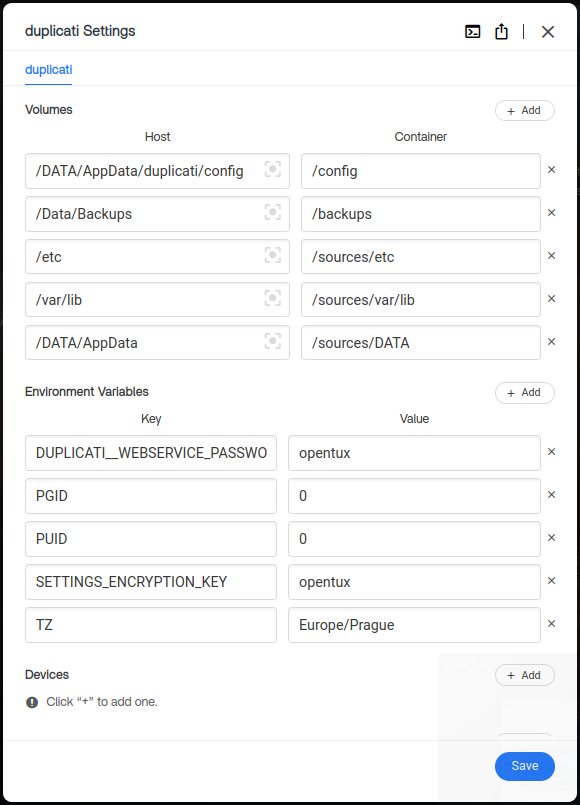
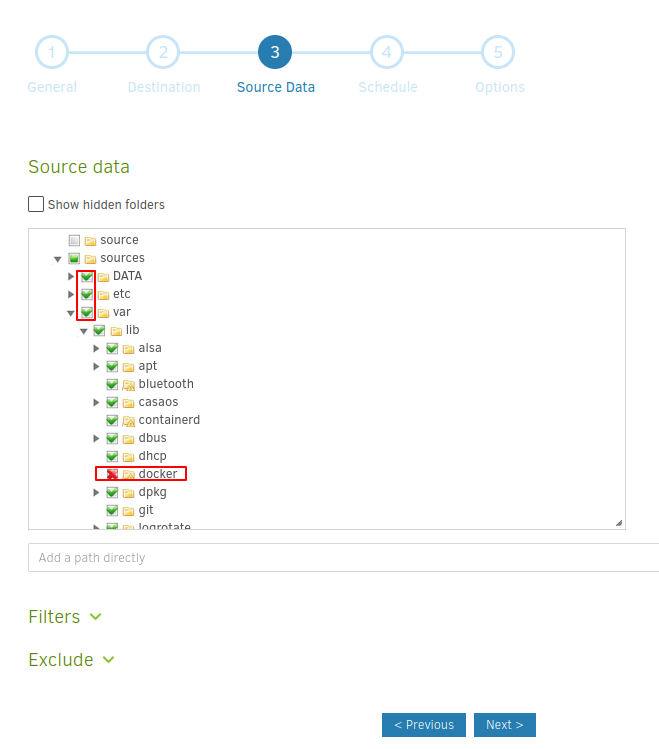
In Volumes we'll add what we want to back up right away. We want to back up docker applications (/DATA/AppData) and other configuration files (/etc, /var/lib). In case of a problem, we can unpack a fresh PiCloud/PiNAS/PiWork onto the SSD and restore the backed-up files.
Add the following according to the screenshot:
Add to Volumes:
/Data/Backups /etc /var/lib /DATA/AppData | /backups /sources/etc /sources/var/lib /sources/DATA |
Add to Environment Variables:
DUPLICATI__WEBSERVICE_PASSWORD SETTINGS_ENCRYPTION_KEY | your_password your_key |
Also change PGID and PUID to 0 so we can back up with full permissions. See below:
After installation, enter your PiCloud address with port 8200 in the browser. For example, in our demo it is http://picloud.local:8200 or http://192.168.1.56:8200
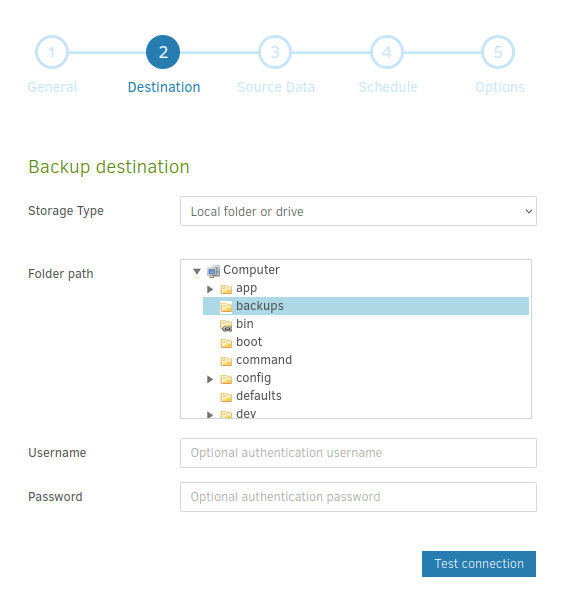
If you want to back up to a local USB drive, you must replace /Data/Backups in the configuration with the mounted path to the USB drive.
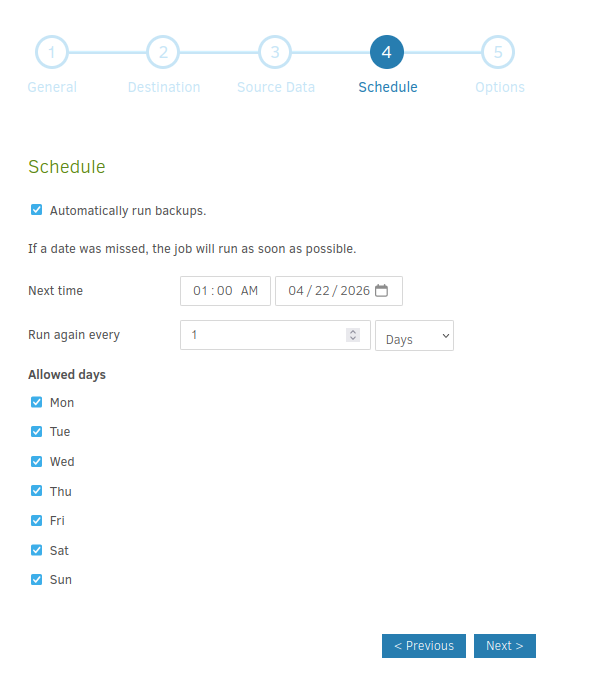
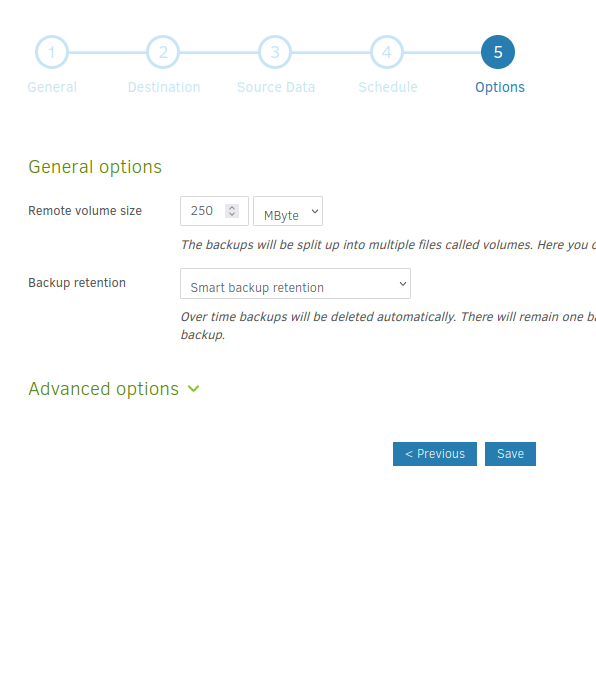
Example backup configuration
Add new comment