



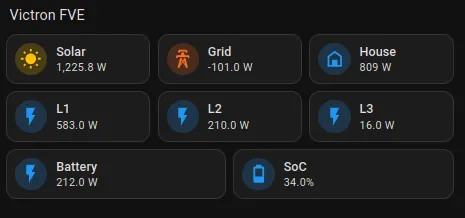
We will add the Victron integration to Home Assistant using Victron MQTT. This will give us real-time values from the Cerbo/Venus system in Home Assistant and at the same time allow us to control the PV system via Home Assistant. Based on these values, we can then switch various appliances (heating, water heater, etc.) and avoid wasting battery power on large consumers when they do not need to run. If you have a Victron EV charger, it is automatically part of the Victron system.
Hardware
Pi-Home with Home Assistant - if you don't have it, see guide or order it in our eshop.
Victron FCE
Software
Home Assistant with HACS
Procedure:
Find the IP address of the Cerbo on your router. Usually in the DHCP section, for MikroTik for example IP-> DHCP Server -> Leases. In this example it is 10.1.1.125. Look for hostname einstein.

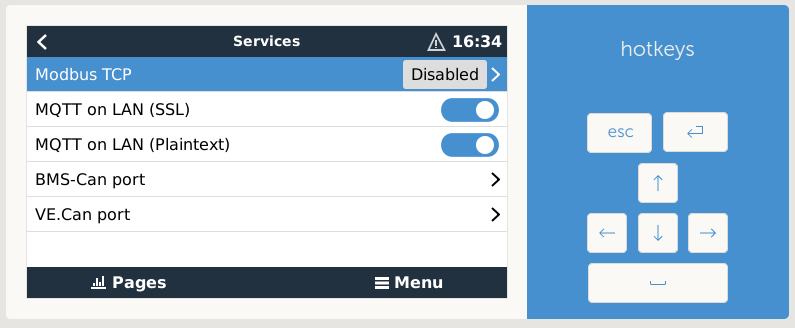
2) Enter the IP into your browser and enable the MQTT Broker function in Settings -> Services
Installing the HACS add-on
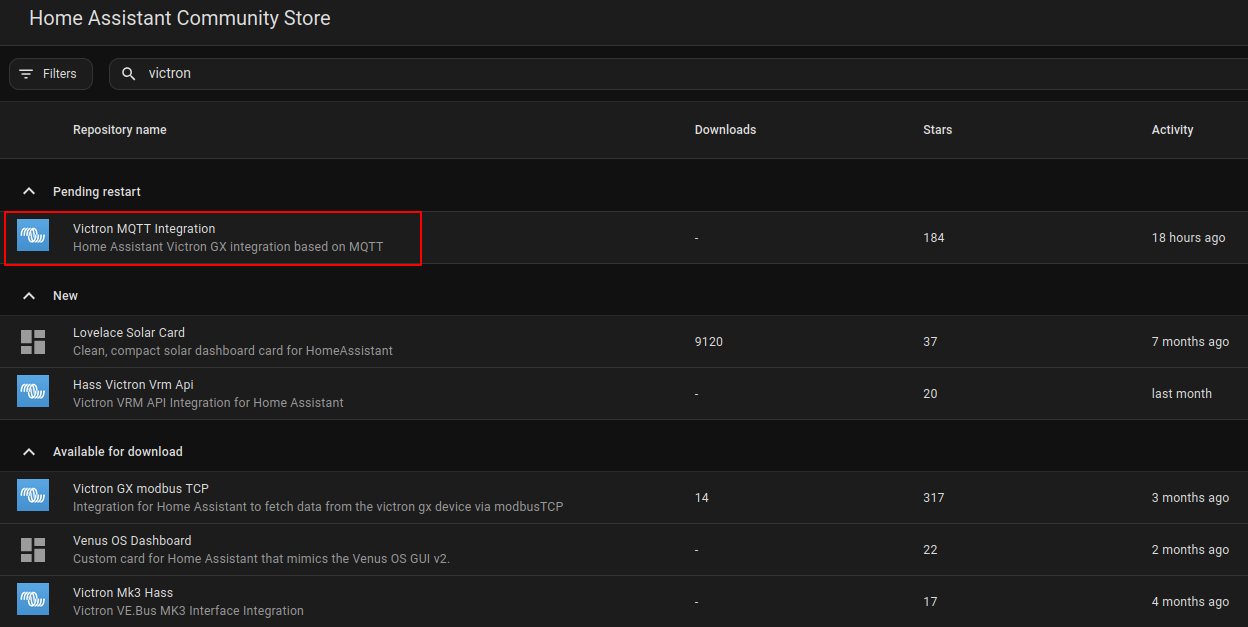
Log in to Home Assistant. Open HACS and search for "Victron". Select Victron MQTT Integration and then click Download.
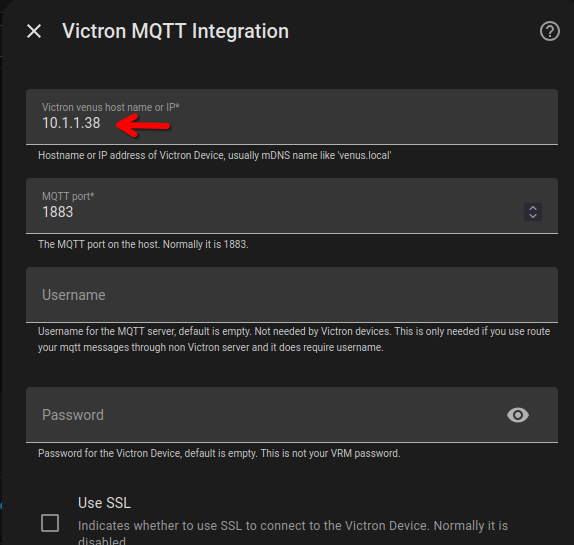
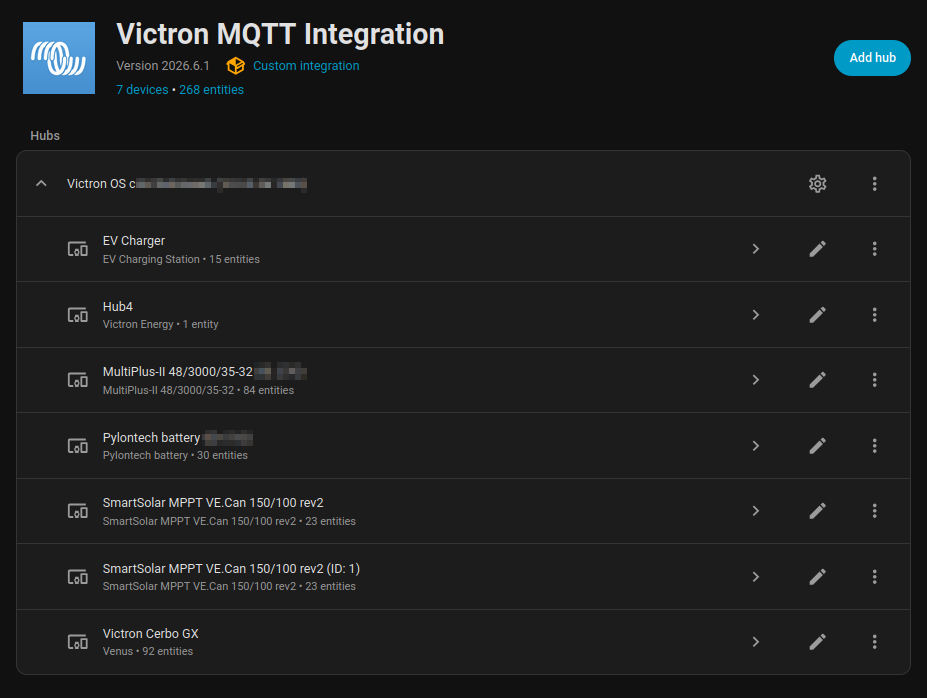
After installation, go to Settings -> Devices & Services -> Add integration and find Victron MQTT Integration. Open it and enter the IP address of the Cerbo in your local network. Replace the IP address 10.1.1.38 in the image with your actual Cerbo IP address!
The system should load all values from the entire setup. You can rename modules as needed. Under each section you will then find individual entities, which you can later place into your dashboard.
Dashboard card UI example:
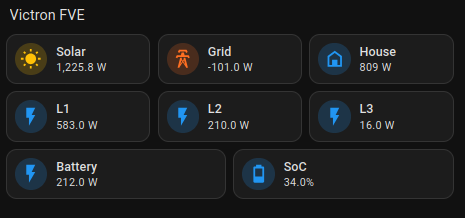
YAML of the card:
type: vertical-stackcards: - type: horizontal-stack cards: - type: custom:mushroom-entity-card entity: sensor.victron_cerbo_gx_pv_power icon_color: amber icon: mdi:white-balance-sunny name: Solar - type: custom:mushroom-entity-card entity: sensor.total_grid_consumption icon_color: deep-orange icon: mdi:transmission-tower name: Grid - type: custom:mushroom-entity-card entity: sensor.total_house_consumption icon_color: blue icon: mdi:home-variant-outline name: House - type: horizontal-stack cards: - type: custom:mushroom-entity-card entity: sensor.victron_cerbo_gx_consumption_power_l1 name: L1 - type: custom:mushroom-entity-card entity: sensor.victron_cerbo_gx_consumption_power_l2 name: L2 - type: custom:mushroom-entity-card entity: sensor.victron_cerbo_gx_consumption_power_l3 name: L3 - type: horizontal-stack cards: - type: custom:mushroom-entity-card entity: sensor.victron_cerbo_gx_dc_battery_power name: Battery - type: custom:mushroom-entity-card entity: sensor.victron_cerbo_gx_dc_battery_charge name: SoC
Add new comment